How I Build a Strategic Communication Plan That Actually Works

Written by: Rachael Van Cleave, South Jordan City Public Information Officer

It’s the beginning of a new fiscal year, and around here, that means one thing—it’s planning season. Time to pause the daily scramble and zoom out a little.

Strategic planning doesn’t have to be overwhelming. In fact, I’ve come to really enjoy the process. It’s our opportunity to reset, realign, and build a roadmap that makes all the daily work feel more intentional. And whether you’re a solo PIO or working with a full team, the process I use can scale.

Here’s a look at how we do it in South Jordan—and how you can use the same approach wherever you are.

Step 1: R is for Research (and Reflection)

We start by gathering the team for a look-back. What did we accomplish last year? What went well? What didn’t? Did we meet our objectives—or did we even have clear ones to begin with?

We pull engagement data, web traffic, media coverage, and campaign outcomes to see what worked and where we stumbled. Sometimes our biggest lessons come from what didn’t go quite right.

We also talk about trends—both local and industry-wide. Are there changes in public behavior, platform algorithms, legislation, or technology that might affect how we reach people this year?

At the same time, I reach out to department heads. I just ask—what’s coming up this year? Any big initiatives, shifts, or potential communication challenges? These early conversations help us anticipate, instead of react.

👉 Quick win: Don’t have time for a full survey? We’ve done fast sentiment analysis by pulling social media comments on a specific issue and pasting them into ChatGPT for a quick read on public perception. It’s not scientific, but it’s fast, free, and often surprisingly accurate.

Step 2: P is for Planning (This Is the Fun Part)

Once we’ve gathered our intel, we get into the big-picture questions:

  • Where do we want to go this year?
  • What should we be known for?
  • What are we trying to move the needle on?

We usually land on 3–5 big goals. These are high-level and values-based. For example:

“To be set apart as a proactive, transparent city that connects with residents through timely, meaningful communication.”

From there, we set three core priorities for the year. These are more focused—things like increasing public engagement with safety messaging or improving internal communication workflows.

Each priority gets at least one SMART objective—that’s Specific, Measurable, Achievable, Relevant, and Time-bound. A good one sounds like this:

“Increase average engagement rate on traffic safety videos by 25% by the end of Q2.”

This is where the clarity happens. Vague intentions become trackable outcomes.

Here’s a SMART objective formula you can use with a breakdown:

To [desired response type] among [specific audience] by [specific measurable amount or result] by [deadline].

Formula Breakdown:

  • To → action-oriented verb tied to the response type (e.g., increase, drive, reduce, improve)
  • [desired response type] → awareness, engagement, behavior change, etc.
  • [specific audience] → who you’re targeting (e.g., residents ages 25–45, business owners, parents of school-aged children, legislators, residents, etc.)
  • [specific measurable amount or result] → % increase, total clicks, form completions, event attendance, etc.
  • [deadline] → quarter, specific date, or fiscal year end

Step 3: I is for Implementation (Time to Get Tactical)

Now we build out our campaigns and plans that will help us hit those SMART objectives.

Each plan includes:

  • Who the audience is
  • What action or change we want from them (awareness, participation, opt-in, etc.)
  • Key messages and creative approach
  • Channels we’ll use (email, social, video, media, etc.)
  • Who’s responsible and when it’s due

Then we operationalize it.

We use Smartsheet to assign tasks, attach deadlines, and map each campaign to the objective it supports. If something’s got lots of moving parts or involves multiple departments, we’ll back that up with Outlook calendar reminders to keep everyone on track.

For example:

  • For Pure SoJo, we developed a comprehensive campaign to educate the public about advanced water purification. The goal? Shift perception from fear or skepticism to curiosity and trust.
  • For the Bees Ballpark, we realized many residents didn’t know it was actually in South Jordan. We adjusted quickly, built an awareness campaign, and tracked what changed in sentiment and engagement from there.

Step 4: E is for Evaluation (Don’t Skip This!)

Every quarter, we revisit our objectives and see how we’re doing. Did we meet the benchmarks? Are we trending in the right direction? What’s working and what needs to be retooled?

This is where we learn fast and adjust. Sometimes, our research didn’t uncover something important. Sometimes the campaign just didn’t hit. But this step keeps us nimble and focused on outcomes, not just outputs.

We also document everything—so next year’s planning process is informed by real data, not just gut feelings.

Tools We Use

These don’t have to break the bank:

  • ChatGPT – for brainstorming, sentiment analysis, summaries, and even drafting first versions
  • Smartsheet – project management and campaign tracking
  • Outlook – deadlines, reminders, meeting scheduling
  • Canva Pro, Adobe Express – creative tools for campaign materials
  • Native analytics tools on platforms like Meta, YouTube, Constant Contact, etc.
  • Google Forms or Microsoft Forms – quick surveys or feedback forms

Try This Today

If you’re looking to get started (or just reset mid-year), here are some steps you can take right now:

✅ Schedule a planning session—even a one-hour one—with yourself or your team
✅ Write down your top 3 accomplishments and 3 lessons learned from the past year
✅ Reach out to 2–3 internal departments and ask: “What’s coming up that may need communications support?”
✅ Pick one goal and write a SMART objective for it
✅ Identify one piece of low-cost or free research you can do this week
✅ Choose one priority project and start a basic plan (audience, outcome, channels)
✅ Put it all on a calendar and check back quarterly

Strategic communication isn’t about being reactive—it’s about being ready. The RPIE process keeps us grounded and adaptable, and it reminds us that good communication is never accidental.

Here’s to a new year of thoughtful, impactful work. Let’s plan like we mean it.

*ChatGPT was used to assist with this blog.

Social media tips: A recap of the August 2019 quarterly meeting (Part 2 – Twitter)

By Joe Dougherty, PIO
Utah Division of Emergency Management

In case you missed it, Zach Whitney’s information about how pages can use Facebook Groups is in this post.

Maximizing Your Twitter Game

Many people are not aware of the usefulness of some of Twitter’s functions. Here’s how to do it better:

Lists

Group the accounts you follow into lists so you can just watch their content when you need to filter out the noise of Twitter. You can create lists based on geography, discipline or any other grouping you desire. When you click on a list, you can view the tweets or the Twitter handles of the list members.

Example: In, addition to the examples in the image above, the Utah Division of Emergency Management (@UtahEmergency) Twitter account has lists for first responders in each county, the media in Utah, geology/earthquake gurus and more.

Pro tip 1: Don’t want to build the list yourself? You can just subscribe to another Twitter user’s list and watch the content like you own it.
Pro tip 2: You can add users to a list, even if you don’t follow them.

Bookmarks

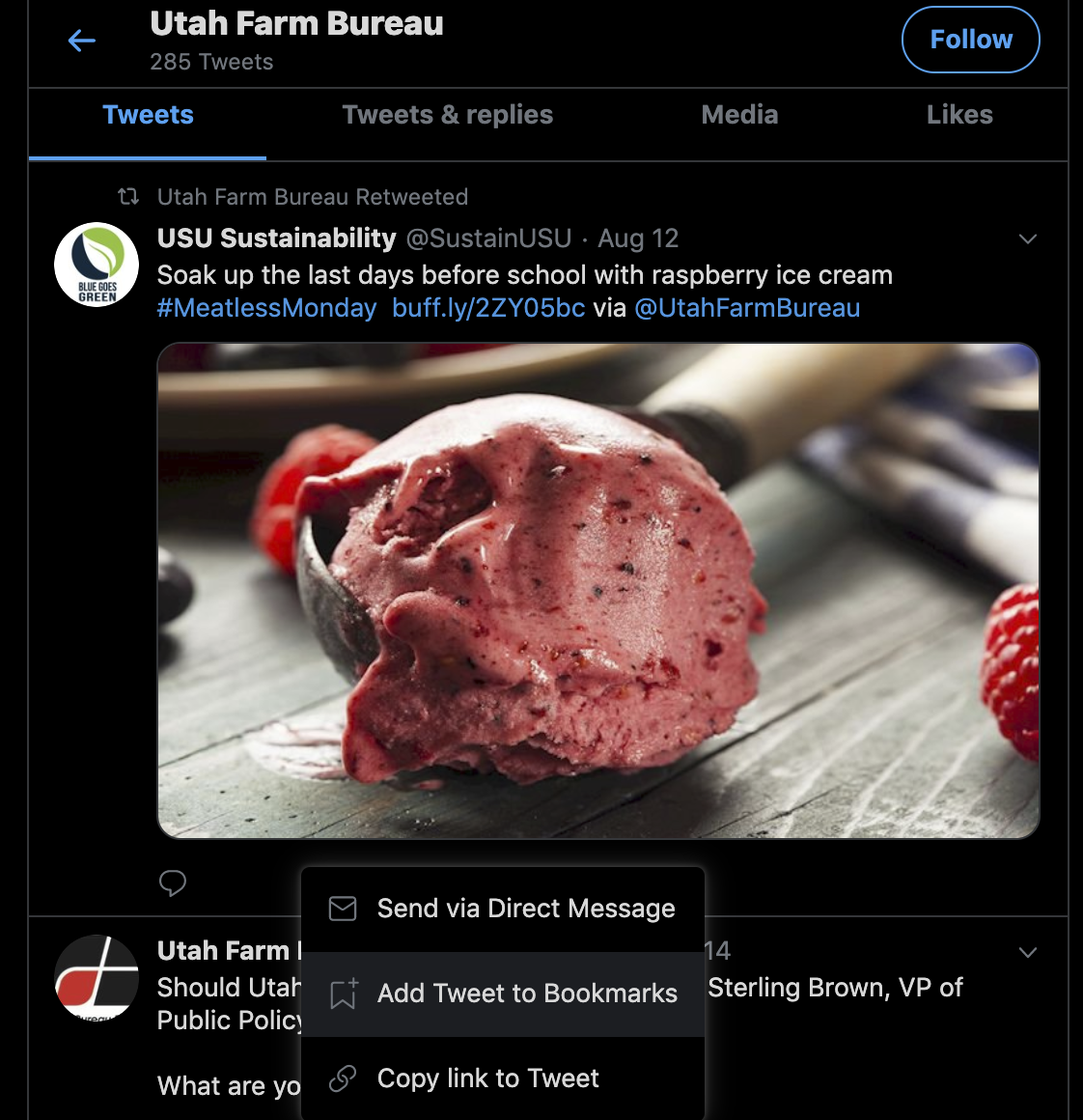
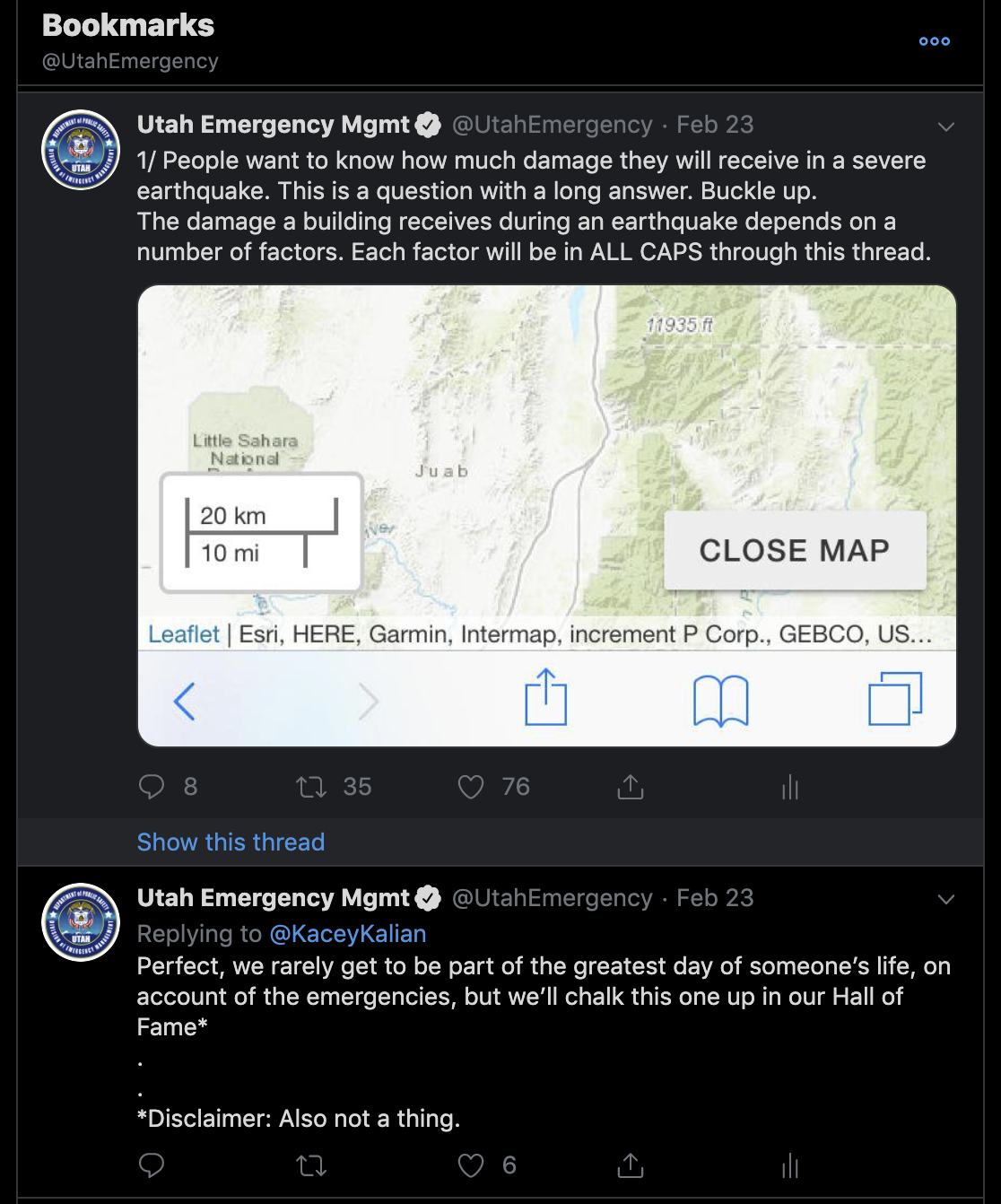
Want to remember that Tweet that you just need to hang onto? Just click or tap the little “send” icon below any tweet, such as this one with raspberry ice cream (yum!) and select “Add Tweet to Bookmarks.”

Then, (see the image on the right) when you click on your bookmarks, you have easy access to those tweets. In my case, I am constantly referring back to a tweet thread I wrote in February. I just appreciate that Twitter makes that tweet easy to find in my bookmarks.

Media Studio

Last year, Twitter launched Media Studio. You don’t automatically get access to it. You have to request it for your government page by emailing gov@twitter.com.

Media studio allows you to have easy access to your entire library of images and video that you have shared previously on Twitter. Select the image, compose your text and either schedule or post your tweet from one window. Media studio allows you to post up to a 10-minute video instead of the 2:20 limit you have from posting within the regular app or desktop site. Here’s a short demo of the workflow:

Threads

Ever have more than one tweet you’d like to keep together, either for updates, context or because you have more information than will fit in 280 characters?

Consider writing tweets as a thread. Simply press or click the “plus” button in the tweet composer and Twitter will link your next tweet as a reply to the previous one. You then have the option to publish all tweets at once.

Twitter lets you thread up to 25 tweets to post at once. But you can expand that by simply replying to the last tweet in a thread if you need to keep that going.

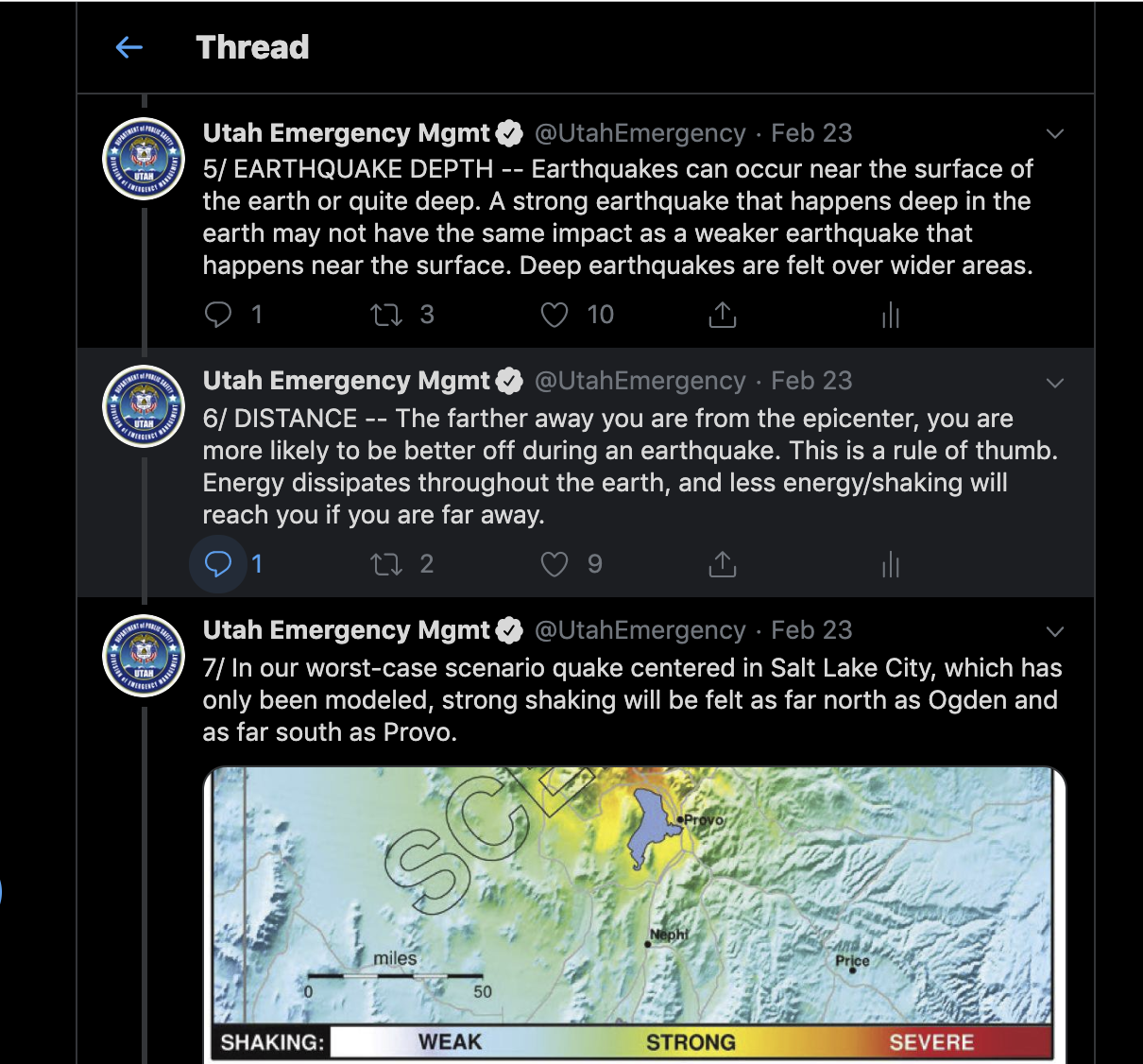
Here’s an example of tweets 5, 6, and 7 in a thread I wrote following the earthquake sequence that happened in the south part of Salt Lake County in February. People wanted to know how bad would an earthquake be at their home. That requires an answer that is more complicated than “it depends.”

This information translated well into a longer Facebook post and was picked up by local media here and here.

Dark Mode

You may have noticed that all of my Twitter screen shots have a dark background. In your Twitter settings now, you have the option of the default (white) background, dim (gray) or lights out (black). I chose lights out for @UtahEmergency.

Missed Part 1 of our recap of the August quarterly meeting in Park City? A post about Zach Whitney’s information on Facebook Groups is here.


Joe Dougherty is the public information officer for the Utah Division of Emergency Management. jdougherty@utah.gov

Social media tips: Recap of the August quarterly meeting (Part 1 – Facebook groups)

By Joe Dougherty, PIO
Utah Division of Emergency Management

When it comes to social media, there are two platforms that are essential: Twitter and Facebook. Do both well, and you establish your organization as a credible source of information with those who are consuming your content digitally.

Zach Whitney from UDOT discusses Facebook groups for government pages.

During our quarterly training luncheon in Park City on August 15, Zach Whitney from UDOT (@zachwhitneynews) and I (@PIO_Joe) shared some tips about using those two platforms more effectively to reach people who care about your message and to filter out the noise.

Zach’s presentation information is here and mine is in the next post, Part 2 – Maximizing Your Twitter Game.

Facebook Groups for Government Agencies

If you are going to do social media, and among the platforms you are using is Facebook, then Zach Whitney says that it’s important that you give people information that they actually want.

Facebook’s recent emphasis on giving users the chance to make more meaningful connections brought about the ability for pages to create and join community pages.

Zach’s slides are here, and you can see his takeaways below.

Join community groups

Let’s take it for a spin. Find a group you would like to join as a page. In this case, I am requesting to join a group called Utah Emergency Preparedness. Then, I select that I want to join as my page for the Utah Division of Emergency Management instead of as myself.

Group administrators have the ability in their group settings to decide whether to allow pages to join or not. I tried joining a Herriman emergency preparedness group, but it would only allow me to join from my profile.

There are various groups you could consider joining as your page.

  • Community 411/rumor groups (They go by different names in each county.)
  • County “yard sale” groups
  • Groups organized by topic (such as emergency preparedness)

Here are examples of groups UDOT has joined

a screen shot of the facebook groups U-DOT has created, including the U.S. 89 Farmington to interstate 84 project and an environmental study for state route 73

Create your own group

UDOT has created community groups (make sure you’re logged into Facebook to use that link) for specific construction projects and environmental studies and statements.

Here’s how you do it:

This is NOT an actual group we’re creating. This is just for demonstration purposes today. But who knows? Someday, we could create this group.

As a page manager, go to your page and click groups on the left-hand side.
Click “create group.” Name it, select administrators and a privacy setting and begin posting. Make sure to invite some people to your group. And spend some time in the various group settings.

Remember, the goal is engagement. How can you help foster conversations among group members so they have meaningful interactions? What will be most valuable to them?

This is what UDOT knows about its followers in the group. They want information when it’s relevant to them. Zach said they tried having some fun with some posts, but people were more interested in the relevant information. Their point? Just get us the information we came here to get.

This chart displays survey results from the question "how often would you like to see U-DOT post in the group: The lowest recorded responses were a few times a week, daily and monthly. The highest responses were for once a week and whenever there is relevant information

Join some groups

If you haven’t joined any groups, either as a person or a page, consider searching for something you are passionate about in Facebook’s search bar and then refine your search by groups.

If you haven’t yet, consider joining the Utah PIO Association on Facebook. Come in, ask a question, and watch the PIOs come up with responses.

Don’t forget email

If you’re doing social media, do it the best you can. Though it’s tempting to put all of our eggs in the basket of social media, it can’t be the only way we reach people. Check out these stats from UDOT’s survey to its stakeholders.

A well-written, well-timed email will still do wonders to get people the information they want.

This pie chart shows that 46 percent of U-DOT's stakeholders prefer to receive information via email. compared to 22 percent who prefer social media, 16 percent in open houses, 9 percent with mailed flyers and 5 percent through traditional media.

Want to see part 2 of our recap of the quarterly meeting? My info about Twitter is here.


Zach Whitney is a digital communications specialist for the Utah Department of Transportation. zachwhitney@utah.gov.

Joe Dougherty is the public information officer for the Utah Division of Emergency Management. jdougherty@utah.gov

What I Learned at Advanced PIO

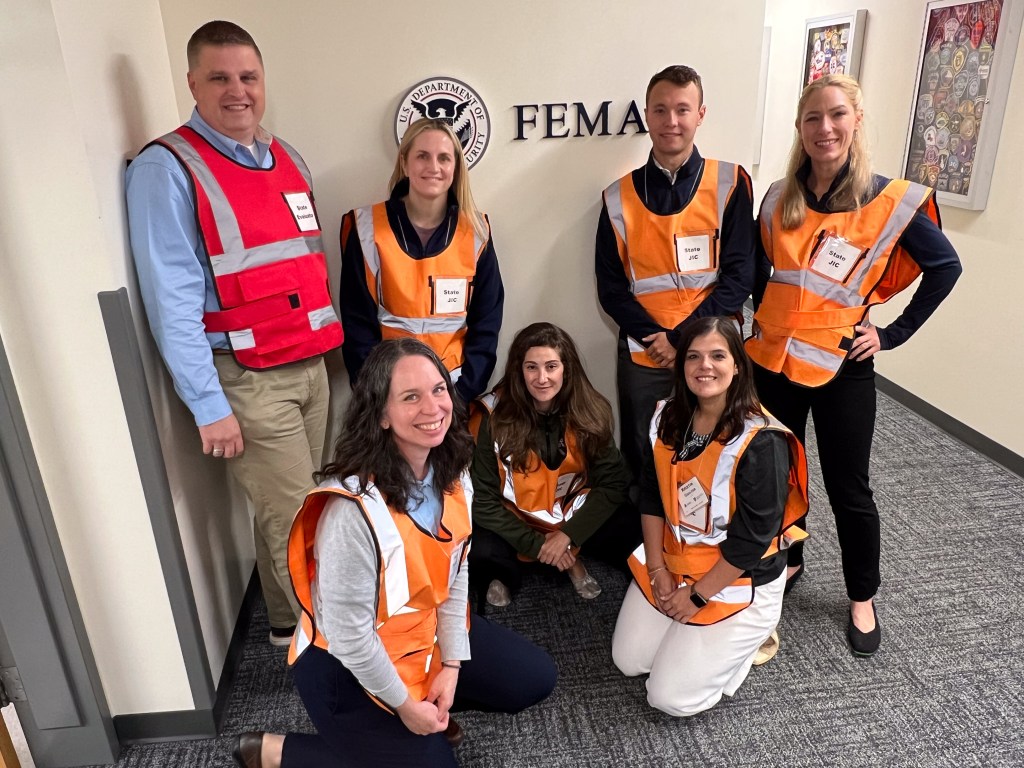
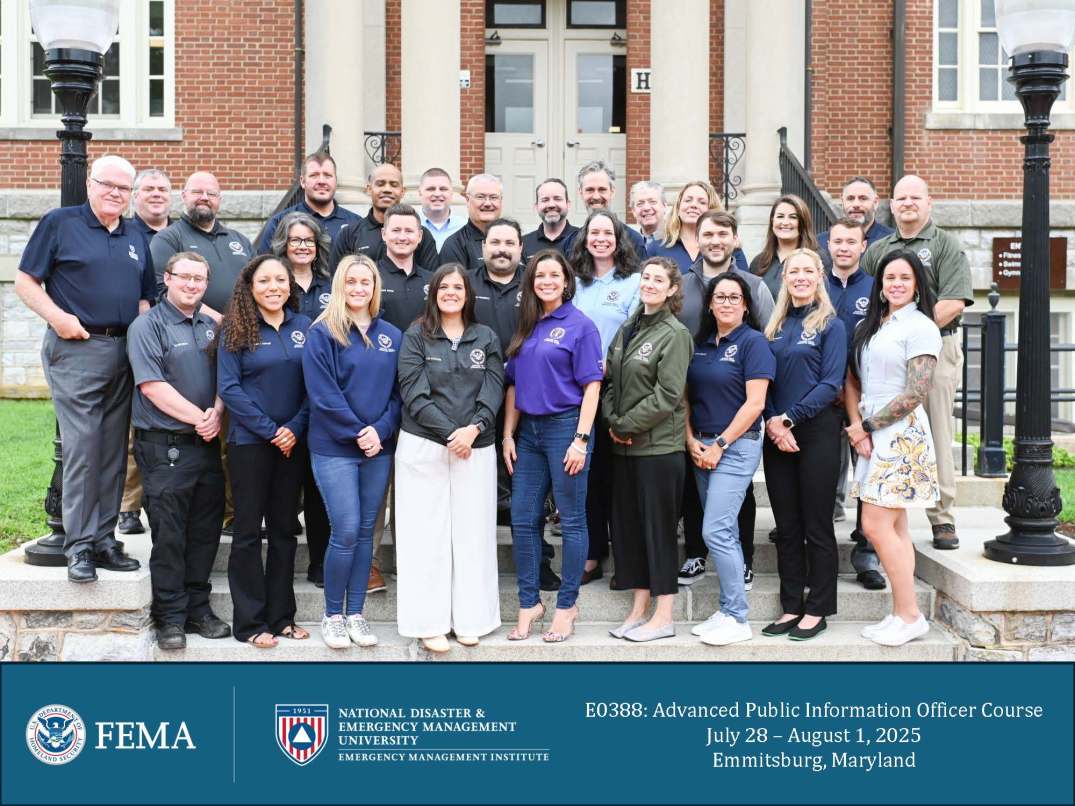
The full Advanced PIO class of April 28-May 4, 2019. Lisa Miller photo
By Lisa Miller
Traveler information manager
UDOT

If you haven’t already attended the FEMA Advanced Public Information Officer (PIO) course… do it. The training, held at the Emergency Management Institute in Emmitsburg, Maryland, is well worth the effort.

This five-day course refreshes the fundamentals that every PIO should have in their toolbox and covers a wealth of advanced information that will improve your perspective and reach as a PIO. Instructions for how to apply are at the end of this post.

Here’s a snapshot of what I learned:

Network

The attendees of this class speak your language. They have had similar situations. There is a wealth of knowledge to transfer just by having lunch and dinner together. This class had nearly 50 participants from all over the nation representing fire, police, National Guard, FEMA and public agencies. We’re all keeping in touch via a Facebook page specifically for our class.

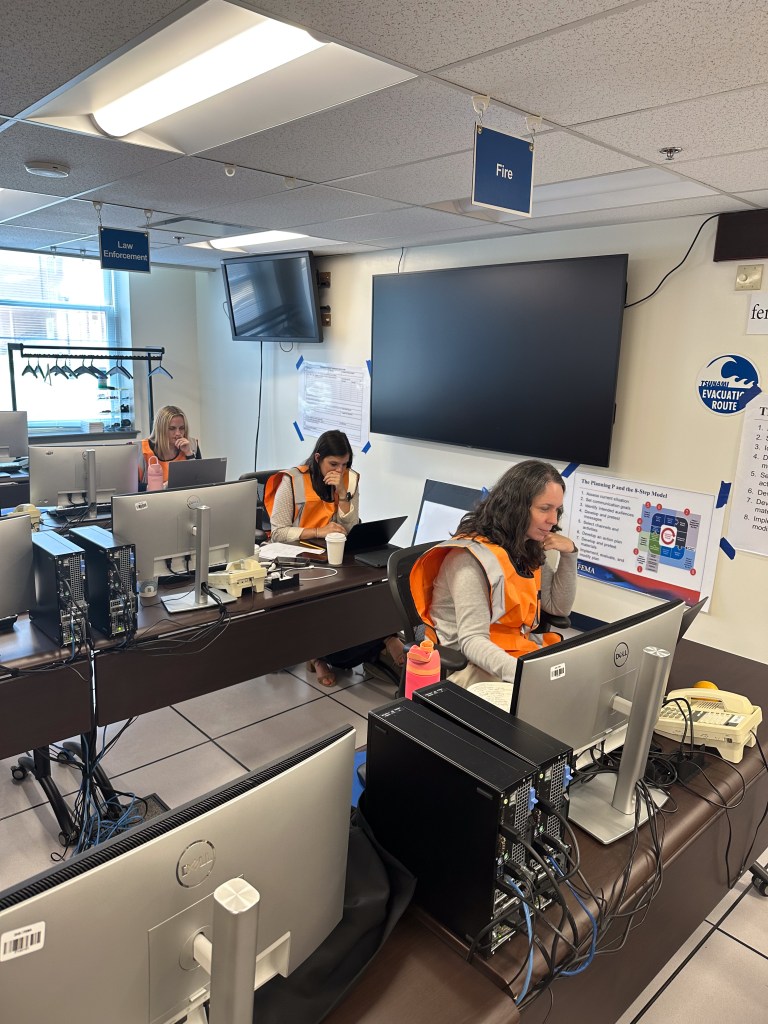
The state JIC during the exercise portion of the class. Lisa Miller photo.

Exercises are critically important

We already know this, but finding time can be difficult. The class schedule blocked 1½ days for a functional exercise focused on Joint Information Center (JIC) coordination. There was a state JIC for the first time in the class as well as local JICs for each fictitious municipality. The injects were phenomenal and encouraged us to build on our institutional knowledge as well as struggle a bit with the things that were less familiar to us.

Leave your ego at the door

For those of you who have been to the training, “don’t be Pam.” Working in a JIC can be a stressful environment without adding inflated egos to the dynamic.

Everyone has the same goal… get the right information to the right people at the right time so they can make the right decisions.

Overall emergency goals of protecting life and preserving property are much better facilitated when everyone checks their ego at the door.

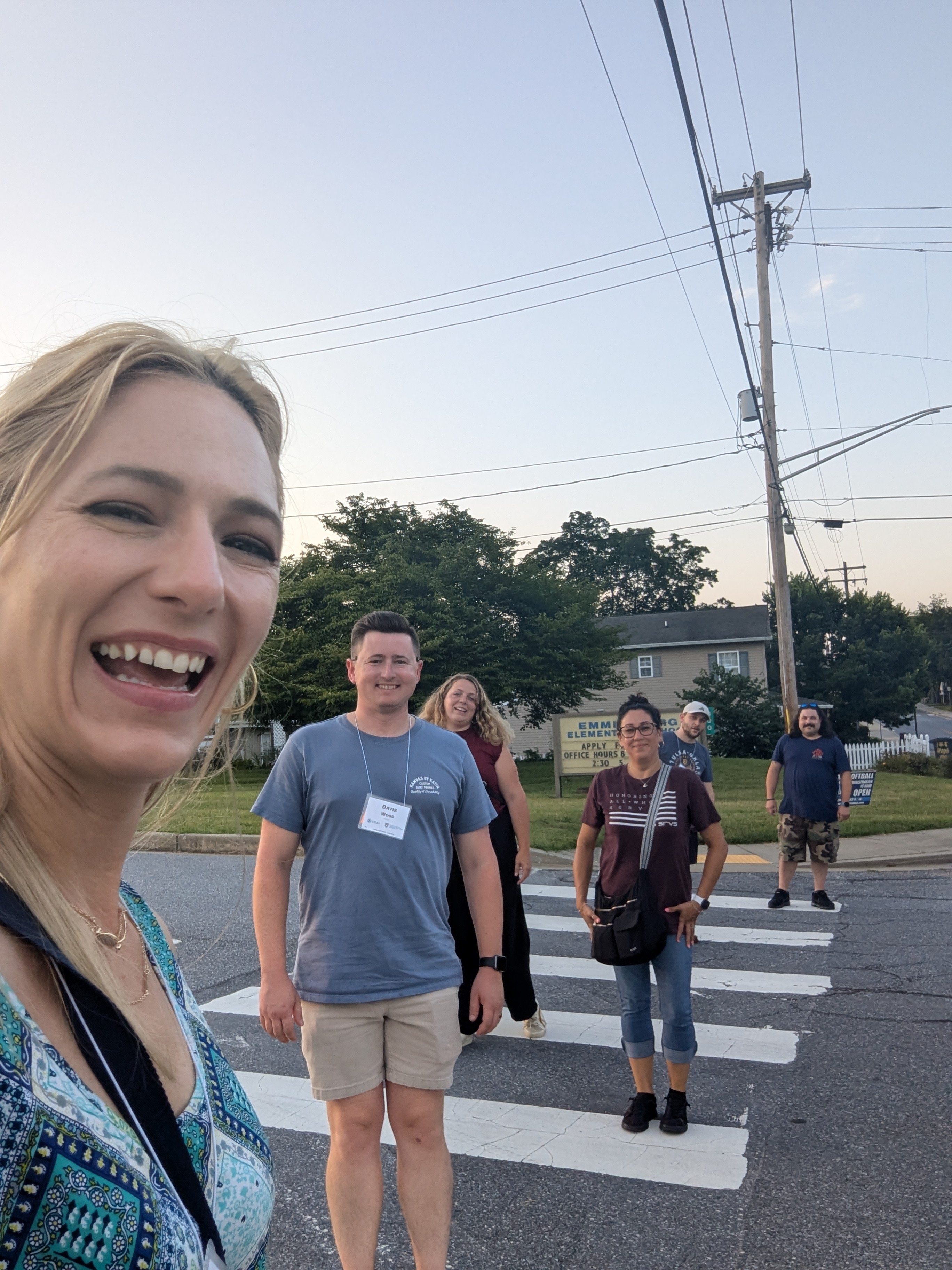
PIOs from around the nation attend the course. It’s a great chance to learn. Lisa Miller photo

There are no bad ideas

During the first day or so of the class, everyone is still in the mode of familiarizing themselves with their classmates. Nobody wants to be the person who brings up an idea that elicits an eye roll! The instructors of the training quickly established the idea that there are no bad ideas. We were all learning and growing together and everyone was encouraged to participate.

Don’t only rely on social media

We are so engrained in social media as a way to reach our constituents. However, in an emergency situation, it’s not the only channel that needs attention. One of the presentations at the Utah PIO Association conference last year stressed this. Wildfires, rural populations, different languages and rapidly changing information can cause confusion and panic among citizens. During times of non-emergency, hone your skills on how to communicate with your audiences through all channels so you’re ready to go when an emergency strikes.

Write for a lower reading level

Every agency is full of acronyms that sometimes do not translate well outside of the agency. Remember that your audience may have language barriers or may read at a lower grade level. According to the Utah Department of Health, nearly 8% of adults in Utah operate at below a high school level. Nationally, this number is around 12%.

PIOs love karaoke

You haven’t truly lived until you’ve heard someone from the St. Louis Division of Water Quality sing Snoop Dogg’s “Gin and Juice” at karaoke night. #nailedit

Have you attended APIO 0388? What were your thoughts and takeaways?

Lisa Miller
APIO Graduate
April 28-May 4, 2019


Editor’s note:

How to apply for Advanced PIO

The course prerequisites list is lengthy and the application process can take quite a while. Classes fill up quickly so plan ahead.

Course description and prerequisites
Download the application form here
When all prerequisites are complete, fill out and sign the application, have your boss sign in the appropriate place and then send your course certificates and application to Kris Repp at krepp@utah.gov. She is the State Training Officer and forwards your application to FEMA.

Quarterly meeting recap: Cultural considerations and PIO Lessons from the Nurse Wubbels incident

Thank you to Salt Lake City Emergency Management, who hosted the May 9 meeting.

img_5956.jpgKenya Rene, SLC EM’s PIO, opened our meeting with these words of advice for communicators:

“I hope as we train and evolve with our communication skills, we include and become aware of uncomfortable subjects, like white privilege, cultural appropriation, micro-aggressions and equity vs. equality.

Our state is becoming more diverse as we welcome people from all backgrounds, Let’s connect with everybody, making sure we include them in event decisions and think of them when writing a press release, an invite or social media post.

If you don’t know, ask. Get informed about the culture or community you want to approach.”

Thanks, Kenya! For hosting the meeting, Kenya gets in free to the annual PIO Conference in September.


Moving on to our keynote presentation:

How do PIOs respond when their agencies are on opposite side of public sentiment?

IMG_5960Our many thanks to Kathy Wilets from University of Utah Health, Chris Nelson from the University of Utah and Christi Judd from Salt Lake City Police Department for presenting on the Nurse Wubbels incident.

No doubt, you have seen this video:

Here are the lessons Kathy, Christi and Chris shared during their presentation:

  • This was a crisis decades in the making. Agencies need to figure out now who is in charge and who has jurisdiction.
  • It’s important to sit down with players as soon as possible during an incident and in the aftermath. Lots of communication has happened between Nurse Wubbels and the SLCPD, between SLCPD and the hospital and to other groups, such as the nursing association, as well.
  • People will call 911 to report what they see on YouTube. Salt Lake City’s 911 dispatchers were beset with 911 calls for days because people were calling to report the Nurse Wubbels incident.
  • The incident affected the morale for officers at SLCPD and the university. They were all taking verbal punches for the decisions of one man. Remember your people who are still out working in the public eye in the aftermath of a crisis.
  • Have your talking points ready to go ASAP. Kathy received a call at the end of one day that started like this: “You are live on the BBC in 5, 4, 3, 2, 1…”
    Because she was prepared, this encounter didn’t faze her.
  • Get your war room together. Prepare to pull in every resource (human and non-human) so you can get your strategy built and develop your messaging.
  • If you can, designate one person to field all media inquiries. Christi Judd called back every media person, which made messaging consistent to all media outlets.
  • PIOs, even on opposing sides of an issue, can be friends. Christi and Kathy talked often following the incident and continue to maintain a good relationship.
  • Be prepared to talk internally, as well.Don’t leave co-workers in the dark. They are part of your team. Your co-workers will also go home at the end of the day and neighbors, family members and friends will ask them what is going on. Help them be effective spokespeople.
  • What is your ongoing strategy to regularly communicate with the community? It’s not just about messaging the community during the crisis, but what are you doing now to serve the community and tell your story to build good will?

Thanks again to our hosts and to our speakers. The next quarterly meeting will be August 15 in Eagle Mountain City. Come ready to learn what we took away from the Government Social Media Conference, which took place in Denver in April.


Joe Dougherty is the PIO for the Utah Division of Emergency Management.
Find him on Twitter at @PIO_Joe