By Marie Magers, PIO/Communications Manager, City of West Jordan
Every PIO knows that government decisions (big or small) shape people’s daily lives. But sometimes the best reminders come from the small stuff. And in this case, “small stuff” means a five‑home cul‑de‑sac that almost became “Poison Spider Circle.”
Recently, our City Council reviewed a resident petition to rename a small cul‑de‑sac. A few neighbors supported the idea, a few did not, and everyone cared enough to show up and share their perspective. Along the way, concerns were raised about delivery mix‑ups, emergency response, and how a street name might (or might not) fit the character of the area.
But when the Council reviewed the request against city code, the answer was pretty clear: the name didn’t meet the required criteria for community support, local relevance, or overall purpose. No local history. No collective meaning. And definitely no actual poison spiders involved (thank goodness).
In the end, the Council denied the request, not because they dislike off‑roading or creativity, but because policy and process matter. Even small changes have ripple effects: legal documents, emergency response systems, GIS updates, neighborhood harmony, and yes…even property values.
And this is the moment where PIOs shine, regardless of whether you work in a city, a federal agency, a sheriff’s office, a school district, or anything in between. Our job is helping people understand the why behind decisions that affect their daily lives.
Because that’s where trust is built. Not in the decisions themselves, but in the transparency about how and why those decisions were made.
Local government touches almost everything: the water you drink, the streets you drive on, the parks you visit, the snowplows you see or don’t see at 5 AM, and yes…even the name of the cul‑de‑sac where your Amazon packages arrive.
This street‑renaming request might seem small, but it’s a perfect example of how local governance works: People bring concerns. Staff review the issue. The public weighs in. The Council decides based on code. The neighborhood keeps living together after the meeting… ideally.
As PIO’s, we are the translators. The bridge. The people who turn “Why did they say no?” into “Ah, that actually makes sense.”
It’s not glamorous, but it’s real and it’s the kind of everyday explanation that keeps government human and understandable-ish.
After all, democracy doesn’t just happen in Congress or at state capitols. Sometimes it happens in a tiny cul‑de‑sac with five homes and zero poison spiders (again, thank goodness).
By Brock Damjanovich, Communications Manager, Salt Lake County Office of Regional Development
Let me say something out loud that I think a lot of us in government communications have been feeling but haven’t quite given ourselves permission to say:
The pace of AI is genuinely overwhelming.
But I promise you, whatever you’re doing, you’re doing just fine.
I’ve spent the better part of this year preparing a presentation for the Government Social Media Conference called Keeping Pace with the Speed of AI, and somewhere in the process of researching it, I realized that the most useful thing I could tell an audience of public communicators isn’t a list of the hottest new tools. It’s this: you don’t need to keep up with every AI update to do your job well. You just need an ethical backbone adaptable to any potential AI use case.
That distinction changed how I think about everything.
The Pace Is Real (But So Is the Noise)
In the last year or so, AI has made some genuinely significant leaps. Every single day it feels like I learned about a new AI use case, or more often, another scenario that AI shouldn’t touch.
And then Sora (OpenAI’s much-hyped video-generation platform) launched, burned through $15 million a day in operating costs, and shut down in March 2026. Even the biggest players in the space are still figuring this out.
The tools are moving fast and chaotically. Not all of them will survive. Not all of them are relevant to what you do. And you cannot subscribe to a podcast and a newsletter as your way of keeping up with it all. I know because I tried to build that version of the presentation, and it felt exhausting just to write.
Choose Your Own Adventure: The Three Levels of AI-Awareness
Here’s what I’ve landed on after a lot of thought, and I think it holds up for most of us working in government communications with small teams and ever-growing workloads.
Tier 1: Passive Discovery
Are you already using tools like Canva, Adobe, Claude.ai, or any AI-integrated platform? Then you’re already learning.
Forward-thinking platforms are constantly trying to show off their shiniest new tool or function. I discovered Canva’s new layer-separation tool (which is so cool) not because I read about it in a newsletter, but because I was in Canva working on a graphic, and it showed up. That’s passive discovery, and it counts.
Tier 2: Active Learning
This one is less about seeking information and more about paying attention to what’s already flowing toward you. When AI makes headlines – good or bad – read the story, not just the headline.
When a colleague in a different department tells you about a tool they’re using, that conversation is free professional development. When something goes wrong publicly (and it does, often), ask yourself why it went wrong. That habit builds ethical judgment faster than any newsletter subscription.
Tier 3: Optional Deep Dives
The podcasts and newsletters exist, and they’re genuinely good. But they’re Tier 3 aka optional deep dives for when you want to go further. They’re not the baseline requirement for being a competent AI communicator in 2026.
For those who want the optional deep dives, here are some that my AI friend (Claude) thinks are worth your time:
Newsletters:
The Rundown AI — Daily 5-minute briefing, 2M+ subscribers, best overall starting point
Superhuman AI — “Get smarter about AI in 3 minutes a day,” productivity-focused
The Neuron — Beginner-friendly, no technical background required
AI Weekly — Covers regulation, ethics, and safety alongside the news — particularly useful for government communicators
TLDR AI — More technical, good if you want to understand what’s under the hood
Podcasts:
Hard Fork (New York Times) — Accessible, well-reported, great for non-technical listeners
Eye On AI — Former NYT journalist, strong on ethics, regulation, and policy implications
Everyday AI — Practical focus, covers social platforms and real-world use cases
The Thing That Doesn’t Change: Your Ethical Foundation
Here’s the part of my upcoming presentation I keep coming back to: tools change. Ethics don’t.
Salt Lake County has an AI Policy (Policy 1400-9, adopted in February 2025) that focuses on use cases rather than specific tools. That framing is the whole ballgame.
Instead of asking “Is this tool approved?”, you ask “Does this use case align with our values and our policy?” A framework built around use cases outlasts any individual tool. It gives you a decision-making lens that works whether the tool dropped yesterday or doesn’t exist yet.
The five ethical pillars I think about before any AI-assisted content goes public:
Data Governance – Did I put anything in this prompt that shouldn’t become public?
Human Oversight – Did a human read, verify, and take ownership of this output?
Bias & Fairness – Was this AI trained on data representative of all communities?
Transparency – Does the public know my organization uses AI in its communications?
Mindfulness – Am I using AI intentionally, or just reaching for it out of habit?
Five questions. Two minutes. That’s the whole framework.
A Permission Slip (Seriously)
Are you trying your hardest? Are you doing your best? You know what that’s enough. And if you let the burden of “staying up to date with AI” overwhelm you then you’ll explode. Metaphorically of course.
It officially grants you permission to not be an AI expert. To not subscribe to seven newsletters. To use AI as a tool that helps with the lift rather than a burden that requires constant attention.
The only conditions: passive discovery, active learning, and knowing your ethics.
By Zack Seipert, Marketing & Communications Specialist | Central Utah Water Conservancy District
It’s 9:30 am on a Tuesday. You’ve already responded to two media inquiries, updated your agency’s Facebook page with the latest from your leadership team, and you haven’t even touched your caffeine yet. Somewhere on your list, between drafting talking points and coordinating with your public affairs director, is a note that says “post a Reel this week.”
Sound familiar? It should!
Government communicators don’t get enough credit. You’re the writer, the spokesperson, the photographer, the social media manager, and the crisis communications team, often all at once, often with a budget that doesn’t reflect any of that. And on top of everything else, every social media platform on the planet has decided that video is king. More Reels. More content. More, more, more.
If you’re going to keep up without burning out, you need tools in your corner that work as hard as you do. While Instagram’s Edits app can’t add hours to your day, it just might make the ones you have go a lot further. If you’ve downloaded it but only scratched the surface, here are ten features worth knowing about.
1. The Ideas Tab Is Your New Content Planner
Forget sticky notes on your monitor and cluttered screenshots. The Ideas tab lets you capture content ideas the moment they hit and quickly access your saved videos and Instagram collections in one place.
For communicators who think of a great post idea after hours, this is especially useful. Everything stays in one place, so no more hunting through three apps to find what you saved last Friday night.
2. Safe Zones Keep Your Text Visible
Safe Zones are yellow guidelines that show where Instagram’s interface elements like usernames, captions, and buttons may appear over your video. If you’ve ever posted a Reel only to find your key text buried under a username or like button, this feature is for you. Keep your information inside those lines and your message actually gets seen.
3. Beat Markers Take the Guesswork Out of Editing to Music
Even if your videos aren’t music-driven, this feature is worth understanding. The Beat Marker auto-detects the beats in your chosen audio so you can line up clips, text, and overlays with the music perfectly, no manual timing required. Great for event recaps, community highlights, or anything where pacing matters.
4. Audio Ducking Keeps Your Voice Front and Center
Ever add background music to a video, and suddenly your voiceover gets lost in the mix? Audio Ducking detects when someone is speaking in your video and automatically lowers the music volume, adjusts the voiceover level, and keeps the original voice clear and easy to hear. No manual fiddling with volume sliders, no re-editing to find the right balance.
5. The Teleprompter Means No More Fumbled Talking Points
The built-in teleprompter lets you read your script from any part of the screen, with adjustable speed and text size sliders. No more memorizing your statement, no more looking off-camera for notes. Just look at your phone and deliver. For communicators who regularly need to convey precise information on camera, this one is a quiet superpower.
6. “Apply All” Saves You From Repetitive Editing
If you’re editing multi-clip videos like an event recap, a facility tour, or a day-in-the-life post, this one’s a lifesaver. “Apply All” lets you apply filters, effects, transitions, or color adjustments to all your clips at once, eliminating repetitive edits one clip at a time. Consistent look, a fraction of the time.
7. Color Correction Tools for a More Polished Look
This feature arrived in a major November 2025 update and it’s a big one. Color correction gives you professional-level control over your video’s visual appearance, adjusting brightness, exposure, contrast, and overall color grading.
You can also apply Instagram’s built-in filters to change the overall vibe of your videos instantly. For agencies that care about brand consistency, this is how you make sure every video looks like it came from the same shop.
8. Voice Enhancer Cleans Up Your Audio
The Voice Enhancer feature lets you apply special effects to your voiceovers and, crucially, it includes background noise removal. Recording a quick update in a noisy EOC, near a road closure, or at a community event? This tool helps your audio sound clear and professional even when your environment isn’t cooperating.
9. Keep Your Agency’s Branding On Point with Custom Text
Consistency builds trust, but hunting for hex codes when pressed for time is less than ideal. The My Colors feature in Edits lets you set specific brand colors and fonts directly into the editor.
Instead of settling for “close enough,” you can one-tap your organization’s exact official palette. This ensures that every text overlay and graphic looks like it came from your office, keeping your official communications distinct from the rest of the noise in a resident’s feed.
10. Deeper Insights Right Inside the App
Real-time feedback on factors that affect distribution, like skip rate, is built right into the app so you know what’s working and what to try next. For those who want to know whether their message is actually being seen, this data matters.
There’s a bonus worth mentioning: Instagram is reportedly prioritizing Reels created in Edits, so even if you sometimes edit elsewhere, running your video through the app before posting could give you an extra boost.
The Bottom Line
Edits isn’t just an editing app. It’s quickly becoming a video content workflow tool. And it keeps getting better; Instagram has pushed multiple significant updates since its April 2025 launch with no signs of slowing down. For communicators managing video production solo or with a small team, it’s definitely worth checking out.
Join the Utah PIO Association and the Utah Association for Government Communications for our March luncheon as we explore how Utah communities are preparing to commemorate America’s 250th anniversary!
July 4, 2026 marks the semiquincentennial of the Declaration of Independence. America250 Utah is leading statewide efforts to educate, engage, and unite Utahns in this historic milestone. During this session, attendees will learn how local communities are participating and discover practical ways to communicate about our state’s history, programs, and events.
Featured Speakers
Nicole Handy, America 250 Executive Director
Ellen Weist, America 250 Utah PIO
Renee Leta, America 250 Director of Communications
Event Details
Date: Thursday, March 12 Time: 11:30 am to 1:00 pm (stream begins at noon) Location: Utah Department of Natural Resources 1594 W. North Temple, Salt Lake City First floor, DNR auditorium
Parking & Entry Please park in the visitor parking area in front of the building. Check in with security in the lobby for directions to the auditorium.
By Jenna Ahern, Communications Manager | City of Vineyard
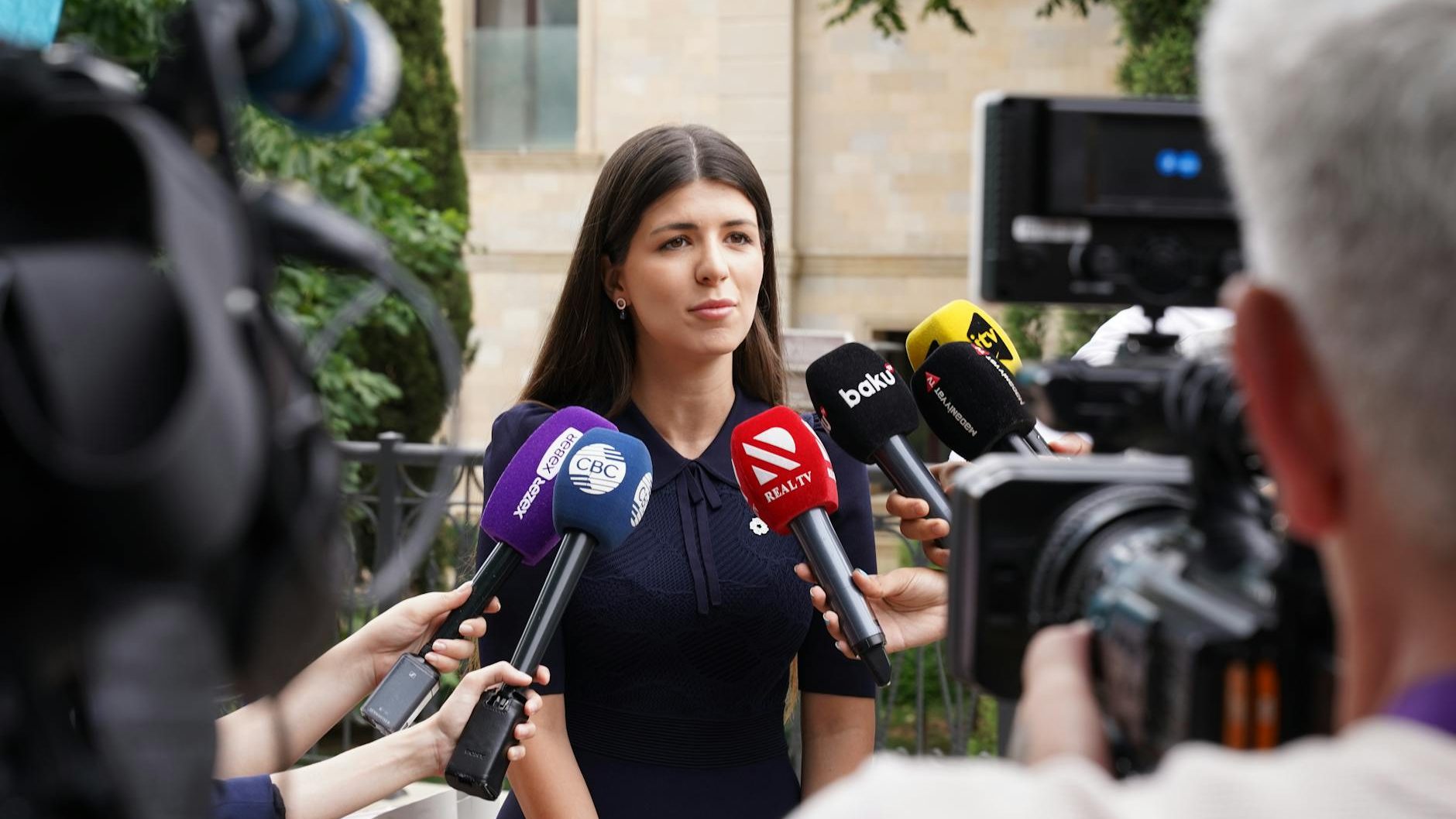
For government communicators, media relations isn’t about “spin” or chasing headlines; it’s about building trust, sharing accurate information, and helping the public understand how their government serves them. When done well, strong media relationships can amplify your message, reduce misinformation, and ensure your agency is seen as a reliable, transparent source.
If you’re new to media relations or looking to strengthen your approach, this guide breaks down how to establish productive relationships with journalists and work with them to earn positive, accurate coverage for your agency.
1. Understand the Media’s Role (and Pressures)
Before reaching out to reporters, it’s important to understand their world:
Deadlines are tight. Reporters often need quick responses.
Accuracy matters. They rely on credible sources who can explain complex topics clearly.
News value drives coverage. Impact, relevance, timeliness, and human interest all matter.
Approaching media as partners in informing the public, not adversaries, sets the tone for a productive relationship.
2. Identify the Right Media Contacts
Not every reporter covers government, and not every outlet is right for every story.
Start by:
Researching reporters who regularly cover local government, public safety, growth, education, or infrastructure.
Following them on social media to understand their interests and recent coverage.
Building a media list with names, beats, and preferred contact methods.
Targeted outreach is far more effective than blasting a press release to every newsroom in your region.
3. Be Proactive, Not Reactive
Many agencies only contact media during crises, but proactive engagement builds credibility long before issues arise.
Proactive strategies include:
Sharing story ideas that explain projects, milestones, or community impacts.
Pitching human-centered stories that highlight employees, residents, or partnerships.
When reporters already know and trust you, they’re more likely to call you first when news breaks.
4. Make It Easy for Reporters to Do Their Jobs
Government information can be complex. Your role is to make it accessible.
Best practices:
Respond quickly, even if it’s just to say you’re working on an answer.
Use plain language and avoid jargon and acronyms.
Provide clear facts, timelines, and context.
Offer visuals, data, or site access when appropriate.
Be honest about what you know and what you don’t.
Reliability is one of the most valuable traits you can offer the media.
5. Prepare Spokespeople for Success
A knowledgeable but unprepared spokesperson can unintentionally derail a good story.
Support your leaders and subject-matter experts by:
Sharing key messages and likely questions ahead of interviews.
Emphasizing clarity, brevity, and empathy.
Practicing responses to tough or controversial topics.
Reinforcing the importance of staying within their expertise.
Confident, prepared spokespeople build trust with reporters and the public alike.
6. Build Relationships Outside of Breaking News
Media relations are strongest when they’re built over time, not just during emergencies.
Consider:
Introducing yourself with a simple “here if you ever need anything” email.
Thanking reporters for fair and accurate coverage.
Correcting inaccuracies politely and promptly, without defensiveness.
Hosting occasional media briefings, tours, or informal meet-and-greets.
Mutual respect goes a long way in long-term media relationships.
7. Measure Success Beyond Headlines
“Good press” isn’t just positive press; it’s accurate, balanced, and informative coverage.
Evaluate your efforts by asking:
Was the information correct?
Did the coverage reflect our key facts and context?
Did it help residents better understand an issue or service?
Did it build trust in the agency?
Sometimes success means preventing misinformation or ensuring nuance, not only glowing praise.
Final Thoughts
Strong media relations are built on trust, consistency, and service. By being proactive, responsive, and transparent, government communicators can help journalists tell accurate stories that serve the public interest.
In the end, effective media relations aren’t about controlling the narrative; they’re about contributing meaningfully to it.




 Utah PIO Association