From Utah to Emmitsburg: My Journey Through FEMA’s Advanced PIO Course

By Rachael Van Cleave, Communications Manager/PIO | City of South Jordan

I’ve wanted to attend the Advanced PIO course at FEMA’s National Emergency Training Center (NETC) in Emmitsburg, Maryland for years. I first took the Basic PIO course (G290) back in 2019, fully intending to get the Advanced PIO Certification shortly after. Like many plans for 2020, mine got completely derailed by the pandemic. Every in-person FEMA course was canceled, and once things started opening back up, FEMA updated the Basic PIO course—which meant I had to take it again to qualify.

So in fall of 2024, I signed up as soon as the course registration opened, and retook Basic PIO (this time with the designation L105). The reason I say I signed up as soon as it opened is that L105 is offered occasionally in Utah, but often books up quickly. You may need to be willing to take the 3-day, in-person course in a neighboring state. L105 is now part of the Emergency Management Basic Academy, which means you’re competing with a much larger pool of applicants.

As soon as I finished the course, I applied for the next Advanced PIO course that was offered in Emmitsburg, MD, in April of 2025.


What You Need to Know to Apply to Advanced PIO

You must have at least 2 years of PIO experience and complete a list of prerequisite courses.

Also, see Tina Brown’s “How to Become An Advanced Public Information Officer Through FEMA” blog for more about the program and other helpful links.

I got accepted into the April 2025 session in Emmitsburg… but then, just weeks before, it was canceled, along with all other courses on campus, due to federal funding uncertainty. I was offered a spot in a May course virtually, but I held out. Everyone had told me that you have to go to Emmitsburg. It’s not just about the course—it’s the full experience. I was able to quickly transfer to the July course.

Spoiler: It was worth every bit of the wait.


What It’s Like at NETC

When you arrive in Emmitsburg, it feels a bit like stepping back in time—but in the best way. The campus is beautiful and historic, surrounded by rolling green hills, and dotted with red brick buildings that look straight out of a movie. It’s also humid—with a capital H—so plan accordingly if you’re going in summer because you walk everywhere.

You stay in what’s essentially a government dorm room, complete with 90s furniture and government-style efficiency. I found it charming in a nostalgic, “I can survive anything for a week” kind of way. Meals are served cafeteria-style, three times a day, and the food is WAY better than you’d expect and buffet style, so watch how much you load on your plate!

Evenings were one of my favorite parts of the week. Some of us walked into town to check out the Ott House Pub (yes, the legendary one), others hung out at the on-campus pub and rec center (ping pong, pool, bar popcorn…what more do you need?). One evening, a few of us drove to Gettysburg, which I highly recommend. We also walked from campus to the nearby St. Ann Seton Shrine, which is peaceful and absolutely beautiful.


The Course: Intense, Real, and Unforgettable

Before the course even begins, you’ll get homework—about a week out. You’ll need to block out at least six hours to get it done. It’s not busywork either—it sets the stage for what’s to come.

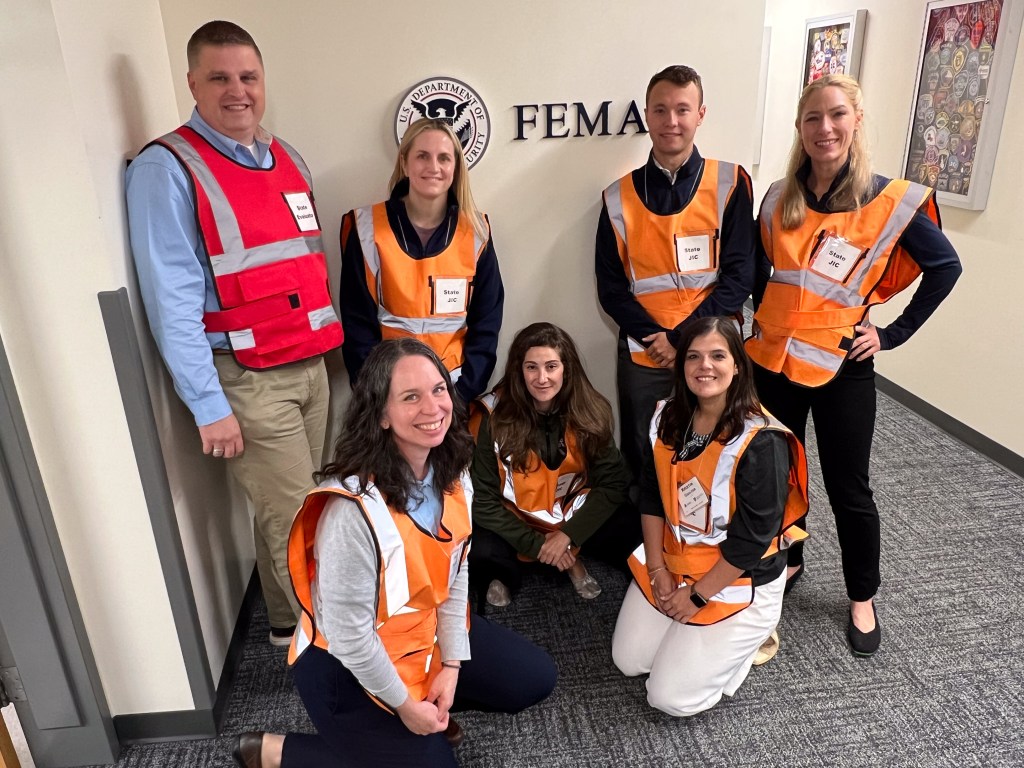
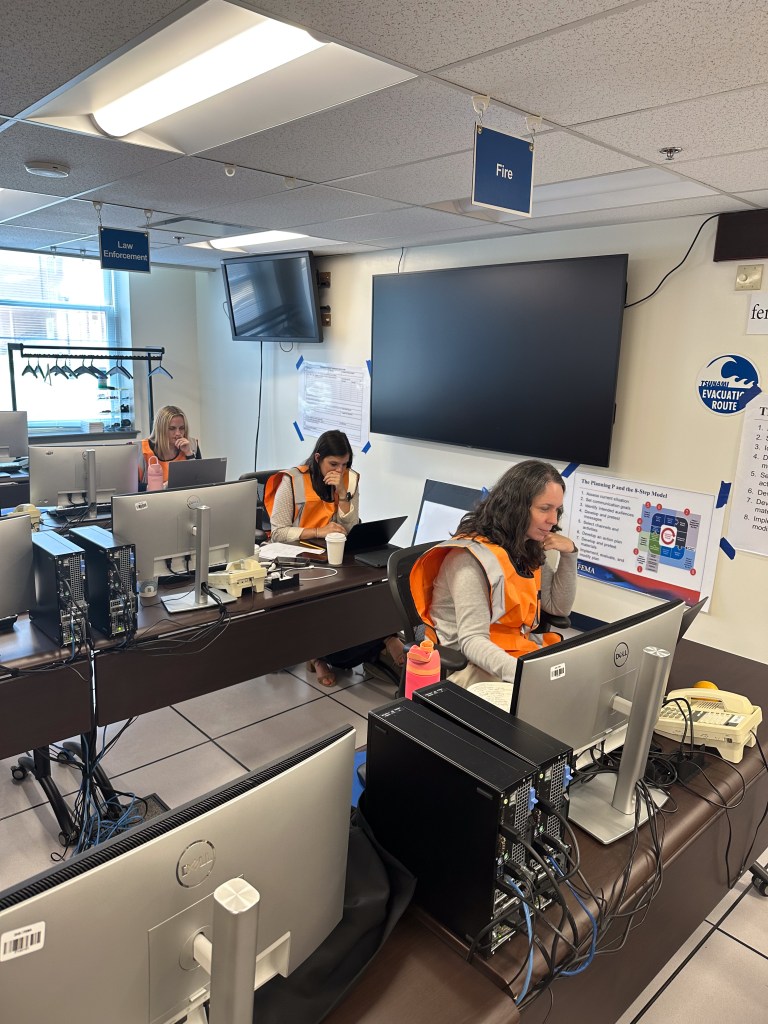
The course itself is intense. It’s designed to simulate real-world disasters, complete with press conferences, joint information centers, and situations that unfold minute by minute. You’ll write, speak, plan, and respond under pressure, and you’ll do it all alongside other PIOs from across the country.

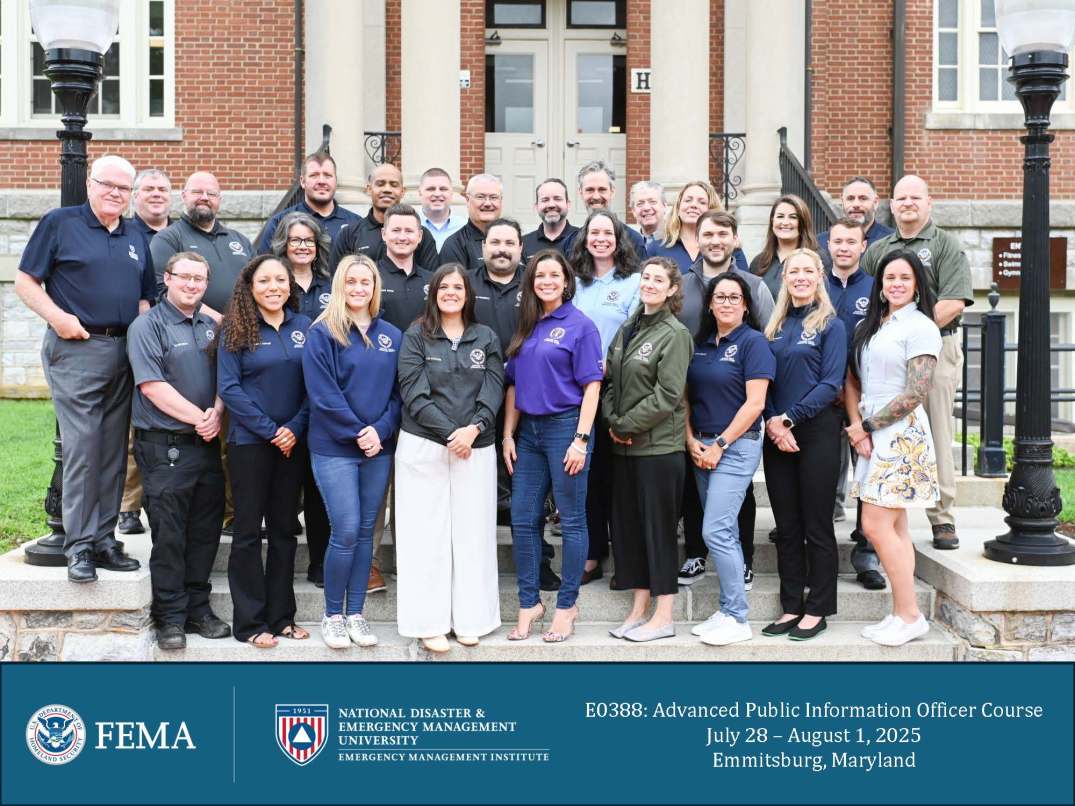
It’s not easy, but it’s incredibly rewarding. The instructors are some of the best I’ve worked with, and the feedback you receive is direct, insightful, and meant to push you further. I walked away with stronger skills, more confidence, and a new group of PIO friends I’ll stay connected with for years to come.


Tips & Tricks for Future Attendees

If you’re thinking about applying, here are a few things I wish I’d known sooner:

Timing & Process

  • First, you apply online for L0388: Advanced Public Information Officer.
  • Applications are processed in batches, so if you apply early (like I did), you may not hear back for months.
  • After I applied, I got an email confirming that I provided all of the required information, then I received an email saying the “head of your sponsoring organization has endorsed your application,” which is generally a contact in the state.
  • I got my acceptance email about 2 months before your course starts, which included:
    • A welcome packet with dress code, behavior expectations, and campus info.
    • A link to reserve your free airport shuttle from BWI (do this 7+ days in advance).
    • A link to buy meal tickets (do this 14+ days in advance, ~$270).

Travel & Logistics

  • Everyone in my cohort flew into BWI (Baltimore/Washington International), which was the only option for those wanting to use the free shuttle.
  • FEMA books your room automatically.
  • When you get to NETC they give you the form you need to fill out to get the reimbursement for your flight. Please note that FEMA reimburses you as an individual, not your employer. If your employer paid for your flight, you’ll have to figure out how to get that money back to them.

While You’re There

  • Do your homework before you arrive so you can enjoy the campus when you get there and not lock yourself in your room to get it done before the lecture part of the course begins on Monday.
  • Pack business casual clothes, a light jacket for over-air-conditioned buildings, and shoes you can walk in.
  • Make time to socialize and explore, your classmates will be some of the best people you’ll meet in this field.
  • Bring cash to get your membership card ($2) and for the pub. The card lets you buy drinks at the on-campus Command Post pub and also gives you access to the recreation center, basketball gym and pool. You also need cash for drinks. They do have an ATM at the pub.

Other Tips

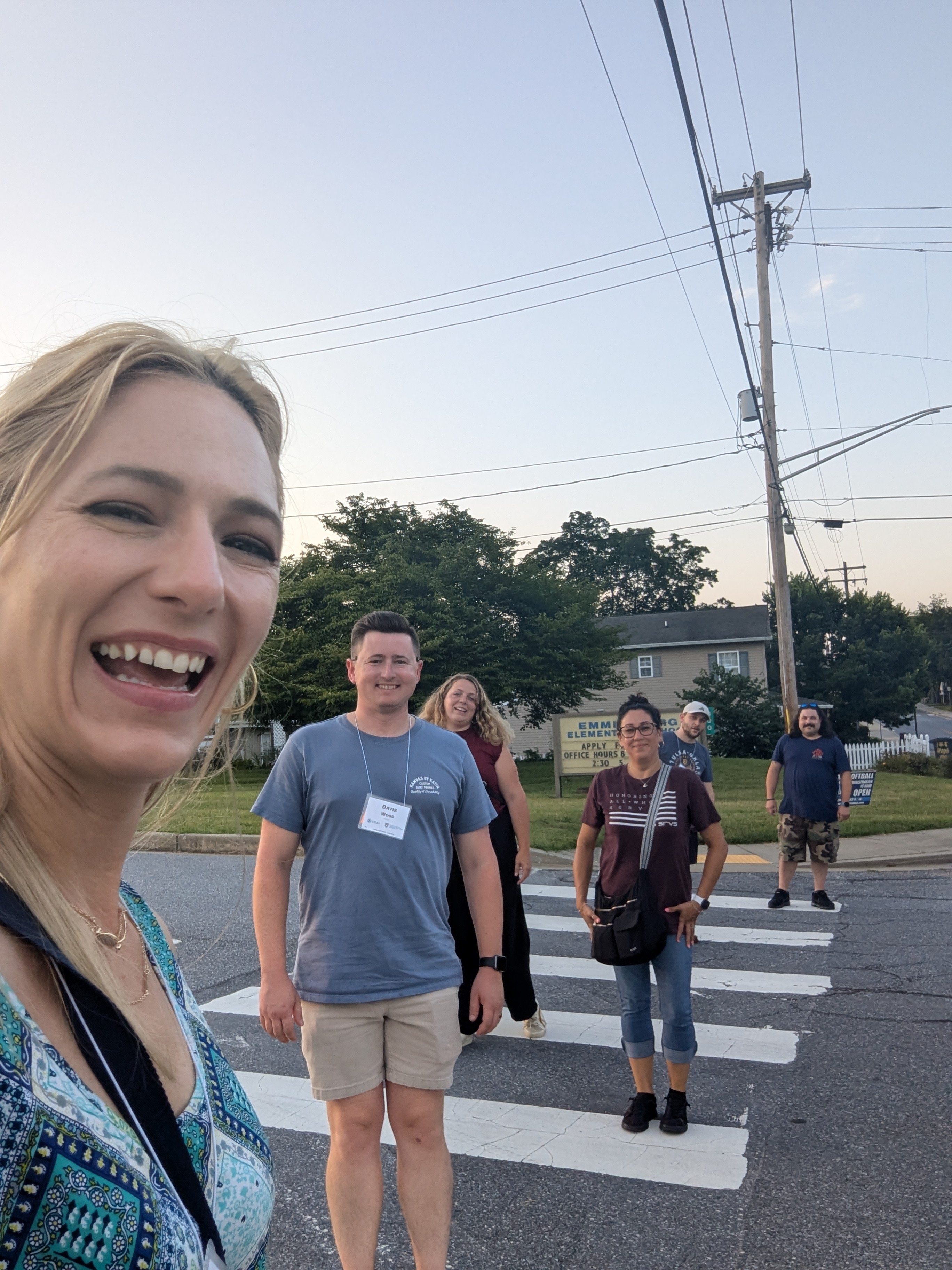
Group of Advanced PIO classmates walking back to the NETC campus after visiting the Ott House Pub.

Acronym Overload? Here’s a Cheat Sheet:

  • PIO – Public Information Officer
  • L105 – Basic PIO Course
  • IS – Independent Study (FEMA’s free online courses)
  • NETC – National Emergency Training Center (Emmitsburg, MD campus)
  • EMI – Emergency Management Institute (now called NDEMU)
  • NFA – National Fire Academy (also at NETC)
  • NDEMU – National Disaster and Emergency Management University (new name for EMI)

Final Thoughts

If you’re on the fence about applying, just do it. And if you can, hold out for the Emmitsburg experience. This course is more than just another bullet point on your resume. It’s a test of everything you’ve learned, a chance to build your skills in a real-world setting, and a week where you’ll walk away feeling re-energized about the role we play as communicators in emergencies.

I’m incredibly grateful I had the chance to go, and I won’t soon forget the people I met, the lessons I learned, or the history-steeped campus I got to call home for a week.

Got questions about applying or what it’s really like? Reach out, I’m happy to share what I can.

Meeting summary for Utah PIO Association Quarterly Luncheon – 07/09/2025

Quick recap

The meeting began with administrative matters including introductions and technical setup for a presentation, followed by an overview of the Utah PIO Association’s activities and upcoming events. The main focus was a detailed discussion of a complex incident that occurred in South Salt Lake in April, involving multiple challenges and requiring coordinated emergency response efforts.

The session concluded with lessons learned from the incident, emphasizing the importance of effective communication, preparedness, and the need for clear protocols during emergencies.

Association Announcements

  • Utah PIO Association members to sign up for the upcoming conference in September.
  • The Utah PIO Association held a meeting in South Salt Lake, welcoming members and introducing their board members. Laura Magness, PIO Association President, encouraged attendees to join the association online at utapio.org and attend the upcoming September conference, which costs $300 and plus hotel accommodations.

Summary of South Salt Lake Incident Review

Crisis Communication and Team Advocacy

Julie discussed a complex incident on April 27 that involved multiple challenges, including fire, storm drains, power outages, and gas leaks, but fortunate circumstances, such as the incident occurring on a Sunday afternoon with no active businesses, minimized casualties and evacuations.

She emphasized the importance of communication during crises and shared her journey advocating for effective communication within her organization, highlighting the need for smaller entities to prioritize and fight for communication resources despite the challenges. Julie also introduced her team and other departmental supports, including the police department’s communication outreach function and media relations, and expressed hope for sharing lessons learned and fostering growth through collective experiences.

South Salt Lake Emergency Response

Julie provided an overview of South Salt Lake’s history, services, and current developments, emphasizing its status as a fully functioning city with a strong sense of local control.

She then detailed a significant incident on April 27th involving a vehicle fire that led to gas leaks and evacuations, describing the complex response involving multiple stakeholders including fire departments, police, gas companies, and public works.

The event highlighted the challenges of managing utilities in a small city with shared infrastructure, and the successful coordination of emergency services to contain the situation and provide shelter for affected residents.

Incident Response and Public Safety

Julie discussed the immediate impacts of a recent incident, including a hard closure on West Temple and some lane restrictions. She emphasized the importance of direct communication and being late but correct rather than hurried and wrong. Julie highlighted the teamwork and quick response of all involved in keeping the public safe. She also mentioned the use of IPAWS for alerts and the need for detailed evacuation instructions.

Emergency Communication and Shelter Planning

Julie discussed the importance of careful communication when referring to shelters, emphasizing that they should be specifically designated for evacuation zones. She highlighted the need to build networks and relationships before emergencies occur, suggesting that having an emergency manager or trained staff can be beneficial. Rachael also stressed the importance of having a designated communication channel for crises and encouraged attendees to reach out to colleagues and organizations for support.

Emergency Preparedness and Communication Strategies

Julie shared lessons learned from a recent incident, emphasizing the importance of selecting a primary channel for information updates and being concise in messaging. She advised using a group text or a dedicated tool like Titan HST for internal communications.

Julie also stressed the need to prepare a “go bag” with essentials like food, water, and warm clothing, and to organize contacts and logins for emergencies. She recommended having a prearranged contract with a boarding company like UDK for business board-ups and suggested setting up a shelter with the American Red Cross if evacuation is expected to last more than two hours.

Emergency Communication Strategy Discussion

Julie discussed the challenges and wins of setting up a JIC/JIS, highlighting the rapid information flow and the advantage of having all necessary stakeholders present. She explained her strategy for managing media and public communication during an incident, emphasizing the importance of being slow and correct to avoid releasing inaccurate information.

Julie also touched on the use of emergency alert systems and the need for direct communication with residents, mentioning the development of a new software for utility account holders. The conversation ended with a brief discussion about a bomb threat incident in another city, reinforcing the value of slow and accurate communication.

South Salt Lake Presentation Recommendations/Takeaways

  • Create an emergency go-bag with essentials like warm clothing, food, water, pen, paper, and charging equipment.
  • Organize and update contact lists and login information for various platforms.
  • Establish relationships with the American Red Cross and complete necessary paperwork for potential shelter setups.
  • Consider implementing a single internal communication channel strategy for emergencies.
  • Practice using alternative devices (e.g. phones) for website updates during emergencies.
  • Update your media staging procedures for evolving emergency situations.
  • Establish predictable update schedules with media during emergencies.

5 New Year’s resolutions for Utah PIOs

2016 is coming soon. What are your plans?

With the new year swiftly approaching, I hope you can look back on 2015 with a fondness for any personal growth you’ve achieved. We tend to grow the most and in unexpected ways from difficult situations, but we’re not always going to be confronted by personal or public tragedies. So there are things we can do to always ensure we are growing and preparing.

During this time when people may sing about brown paper packages tied up with strings, a prepared PIO is one of my favorite things. Here is a list of five things you can do (start preparing now) to be even more ready than you currently are. Don’t feel overwhelmed to do them all. Just pick one and see what happens as your awesomeness increases.

1. Take (or host) a class
We’re going to see some great training take place in Utah this year. The Basic PIO (G290) and JIS/JIC Planning course (G291) are scheduled out through the middle of the year. We’re always looking for ways to bring the course to other areas of the state. Let us know if you are interested in hosting one.

But we’ll also have the All Hazards IMT PIO course (L952) to help PIOs prepare to work on an Incident Management Team in February. We’ll also have an All Hazards Task Force/Strike Team unit leader course for PIOs to build your capability of leading a PIO strike team if necessary. That course will be in April. See the training calendar here.

2. Check out your go kit
What happens if you need to respond to a JIC, a long-term incident or an incident scene? What tools do you have at the ready? What items will you wish you had?

During the Hildale response in September, the PIO team was relieved to find that one member of the JIC not only brought an extension cord reel that allowed four devices to plug in, but also a portable printer and a fly swatter. Another member brought a mobile hot spot that allowed up to five devices to connect to a separate cell network. A few people brought candy. What can you add to your go kit this year?

Here’s one example:

3. Hold a meeting
Do the PIOs in your county or region get together either in person or virtually? If your county doesn’t have a person listed on this page, your PIOs probably aren’t getting together very often. Make this the year that you spearhead efforts to get local PIOs together. The stronger our local networks are, the better we will be able to respond together in any crisis, public safety or otherwise. Check your training budget to see if it can accommodate some doughnuts and milk. Remember, if you feed them, they will come.

4. Meet someone new
Our relationships will get us through the good and the bad times. Think about who you would like to know. Then just call that person to say hi. You don’t have to start working on contingency plans or save the world. Just talk for a minute and be glad you are meeting now instead of during a disaster.

5. Attend a conference
Opportunities abound for learning in large groups and for trading ideas with people you rarely see in person.

Here are some options:

April – Government Social Media Conference (Reno)
May – Governor’s Public Safety Summit (St. George)
September – Utah PIO Association Conference (St. George)
October – NIOA annual conference (Nashville)

So, what are your PIO New Year’s resolutions? Feel free to share below.

Joe Dougherty, @PIO_Joe
Utah Division of Emergency Management

Good bye, #UTPIO15! Thanks for playing!

Well, another wonderful conference has come to an end. Thanks to everyone who helped plan the conference, to those who presented and of course, to those who attended. We hope you were able to take away something that will benefit you in your job. Feel free to check out the tweets from the conference here.

Mark your calendars for next year’s conference:

Sept. 27-28, 2016
Courtyard by Marriott, St. George
Hashtag: #UTPIO16

Thank you for your feedback on the evaluation forms. We are processing those and look forward to bringing you another wonderful conference next year.

Cheers to our leadership team for 2016:

Justin Hoyal, president
Joe Dougherty, Vice President
Wade Mathews, secretary
Roxeanne Vainuku, officer at large
Robin Heiden, officer at large
Charla Haley, officer at large
Steve Sautter, past president


and to those who received awards at the conference:

Tina Brown, South Jordan City, Communicator of the Year
Todd Royce, Utah Highway Patrol, Media Relations
Kim Wells, West Jordan City, Team Player

What was your favorite session of the conference?

#UTPIO15 is now – Check The Tweets!

Hey PIOs! We’re so happy so many people have come to St. George for this year’s conference. We’re getting under way shortly with the first presentations.

Follow along on Twitter to see all of this year’s tweets using the hashtag #UTPIO15.

We made one last-minute change, inserting two breakout sessions about the Hildale Flood response from a public information perspective.

If you’re not here this year, we hope to see you next year!